The free and private app to share voice notes with your agents.
Saane transcribes voice locally on your iPhone into flat Markdown files. Ready for any agent.
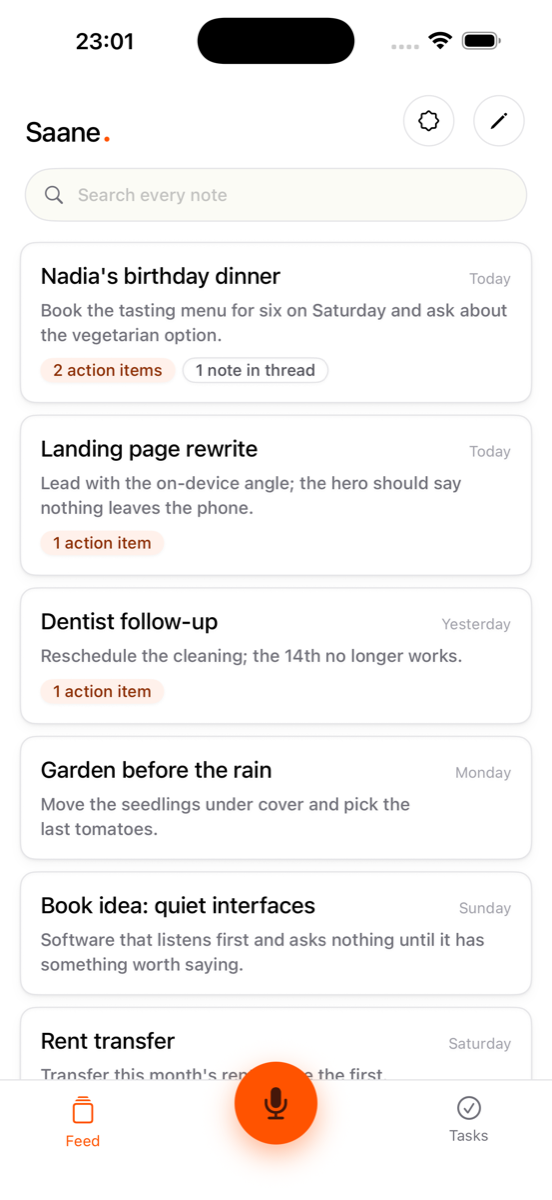
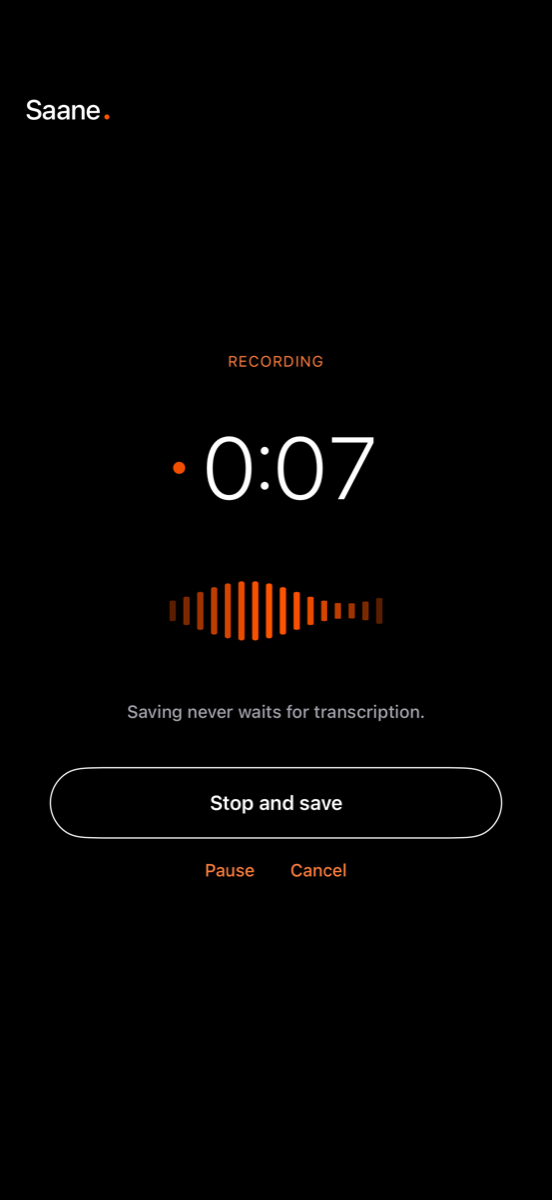
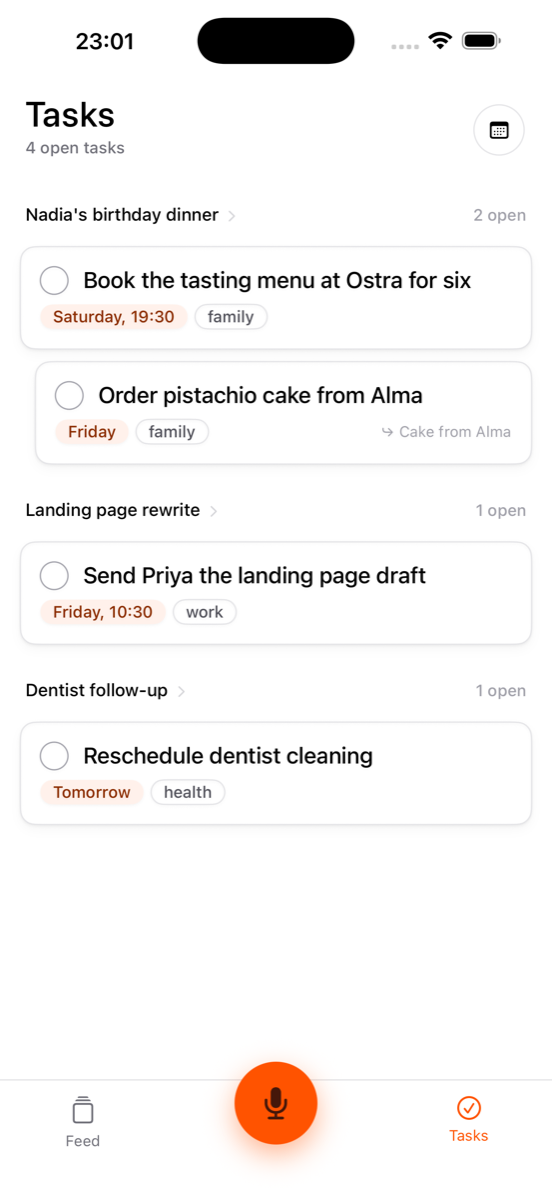
Your voice is yours
Your voice stays on the phone.
Saane transcribes on the chip in your iPhone and keeps every recording there. Nobody else can hear them, and there is no server that could.Your notes are files you own.
Every note is a Markdown file next to its audio, in a folder you can open in the Files app. Anything that reads a file can read it: Claude, Cursor, Obsidian.Your dates land in Apple Calendar.
Say "by Tuesday" and Tuesday is on your calendar. Move the event and the task follows.Talk. The phone does the rest.
Apple put the speech and language models on the chip. Saane is the recorder, the files and the calendar around them. You do one thing. Three happen on their own.
Tap and talk.
Tap Stop and save when you're done. The audio is on disk before the transcript exists.It becomes text on the phone.
Apple's on-device speech recognition writes the transcript. Nothing is uploaded, because there is nowhere to upload it.It's a file your agents can read.
A Markdown file with the recording next to it, in a folder you can open in the Files app. Share it with Claude, drop it into Obsidian, point Cursor at it. No export, no format to convert.Dates go to Apple Calendar.
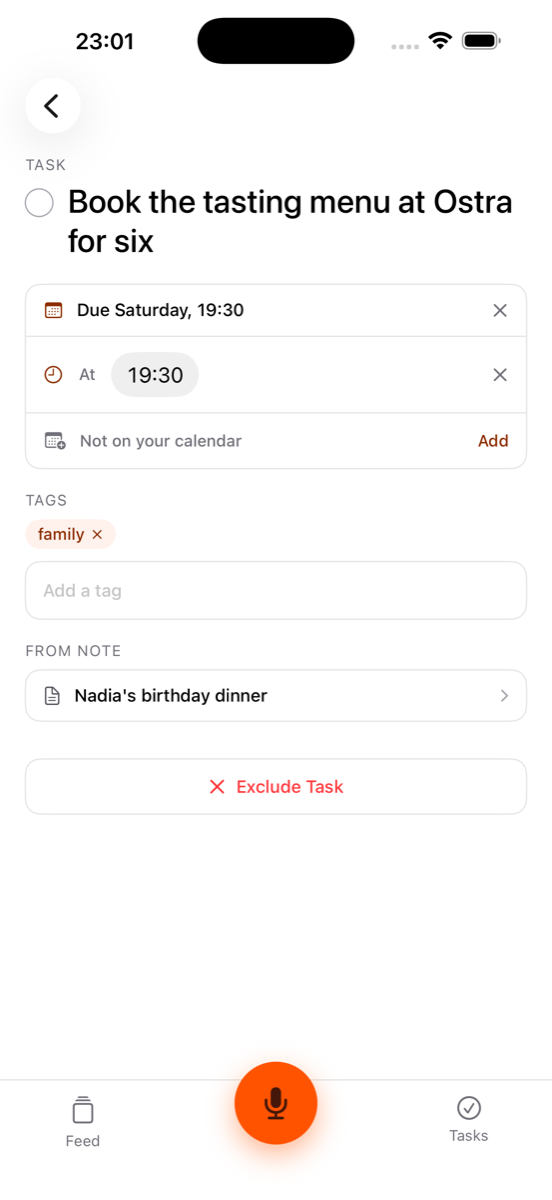
"Send the invoice by Tuesday" becomes a task due Tuesday and, with Calendar sync on, an event. Move the event and the task follows. If you didn't say when, it doesn't guess.It also writes a title and a summary you can read in one breath, in your own words. The note is saved the moment you tap Stop, so capture never waits for the AI. When Apple improves the models, Saane gets better with the next iOS update. What leaves the phone stays the same. Nothing.
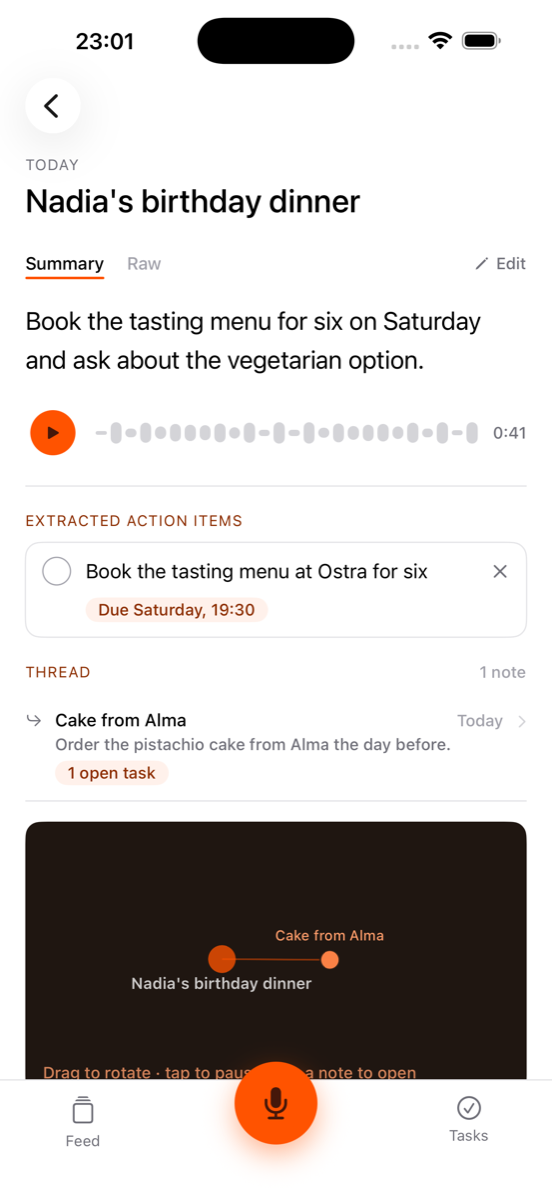
Your notes are a folder. Point anything at it.
Every note is one folder: a Markdown file and its audio. The Markdown starts with the title, the date and every task with its due date, then the summary and the raw transcript. Any agent that can read a file can read your notes. No API, no export, no format to convert.
Today: open Files, then On My iPhone, then Saane. Share a transcript to Claude or ChatGPT, drop a folder into Obsidian, AirDrop the lot to your Mac.
Next release: the same folder in your own iCloud Drive, so it is in Finder the moment you sit down. Point Claude Code or Cursor at it and your spoken notes are already there as plain text.
pricing-call-with-acme/
  pricing-call-with-acme.md
  pricing-call-with-acme.m4a
---
title: Pricing call with Acme
createdAt: 2026-09-30T09:14:00Z
audio: pricing-call-with-acme.m4a
actions:
  - title: Send the invoice
    due: Tuesday
    done: false
---
# summary
Acme wants the annual plan if we ...
# raw
Okay so the call with Acme went ...
Private as your thoughts
Your thoughts stay on your device. Most "private" apps encrypt your data on its way to a server. Saane never sends it anywhere.
No account.
There is nothing to sign up for. The app opens and records. Saane never learns your name, email or Apple Account.No analytics.
There is no telemetry SDK and no crash reporter phoning home. We cannot see how you use Saane.No ambient listening.
The microphone opens when you tap record and closes when you tap Stop and save. iOS shows the orange indicator; we never ask for background audio.No server.
There is no Saane backend. Nothing to breach, nothing to subpoena, nothing to train on. We could not read your notes if we wanted to. Leave tomorrow and take every file with you.Delete a note and its recording, transcript and tasks are gone. Delete the app and everything is gone. There is no server to ask.
Talk on a walk. The Markdown is on your Mac when you sit to work
Coming in the next release: Saane's notes folder lives in your own iCloud Drive, on by default. Record on the phone, and the same Markdown and audio files are in Finder, with nothing to install on the Mac.
With sync on, your notes sit in your iCloud Drive, the same as your photos. Nobody new gets them. We still have no server and can't read a note, and one switch in Settings keeps everything on the phone instead.
Apple put a chip in the iPhone that can understand speech without ever talking to a server. Almost no app makes it do anything. Saane changes that. I built it because I think out loud on walks and work with AI agents at a desk, and I didn't want a stranger's server sitting between the two. Now I talk, the Markdown is in a folder, Claude reads it, and if I said Friday, Friday is already in my calendar.
Augusto GoulartThe whole app is free. Founders keep it that way.
Founders are Saane's only income. If enough people found it, it keeps getting built. If not, it doesn't. I'd rather say that plainly than put a paywall in front of your own notes.
Saane
$0 Everything, for as long as you like.- Transcribed on your iPhone, never on a server
- Every recording and transcript as files in a folder you own
- Readable by Claude, Cursor, Obsidian or anything that opens a file
- Tasks with dates, mirrored to Apple Calendar
- No account, no analytics, no cloud
Founder
Optional $3.99 A month, $39.99 a year, or $79.99 once for life. Once is less than a year of any cloud dictation subscription.- Pays for the app you already have in full. Nothing else unlocks.
- Keeps Saane independent, with no investors and no ads
- A founder seal on the home screen
- Cancel any time through Apple
Saane is not for everyone. Check before you download.
Saane is for you if
- You have an iPhone on iOS 26 with Apple Intelligence turned on.
- You work with AI agents and would rather talk than type.
- You'd rather own files than rent a database.
Saane is not for you if
- You need Android or the web. Saane is iPhone-first, with Mac access through iCloud Drive in the next release. There is no web version and there never will be, because there is no server.
- You want a shared workspace or sharing links.
- Your iPhone can't run Apple Intelligence. Saane still records, transcribes and saves files, but summaries and task extraction fall back to simpler rules.
How do I get a transcript into Claude, ChatGPT or Cursor?
Open Files, then On My iPhone, then Saane. Every note is a folder with a Markdown file and its audio. Share the file, copy the text, or AirDrop the folder to your Mac. The next release puts the folder in your iCloud Drive, so it is already in Finder for Claude Code or Cursor to read.
Does it sync?
Today, no. The next release puts your notes folder in your own iCloud Drive, on by default, so it shows up in Finder on your Mac and on your other iPhones. It goes through Apple, the company you already trust with your photos, and never through us. Until then, your files are in the Files app if you want to move them yourself.
What if I lose my phone?
If iCloud Backup is on, your notes come back with your other apps on the new phone, from Apple, not from us. If it's off, they're gone with the phone. Copy the folder out of the Files app any time you want your own backup.
What happens if I stop paying?
Nothing. The app was free before and it's free after. You lose the seal.
How do I know this is true?
Read the App Privacy label on the App Store. Watch for the orange microphone dot. Put the phone in Airplane Mode and record a note. Everything still works.
The most private place to think is the phone you already own.
Say something. Open the file. Then check your data usage.
Get Saane free Free. No account. No paywall. iOS 26.